Testing a quiz
Press 🧪 Test on the admin page, or 🧪 Test quiz in the editor (which saves first), to play the quiz on your own: the real big screen and two phones appear side by side, already joined.
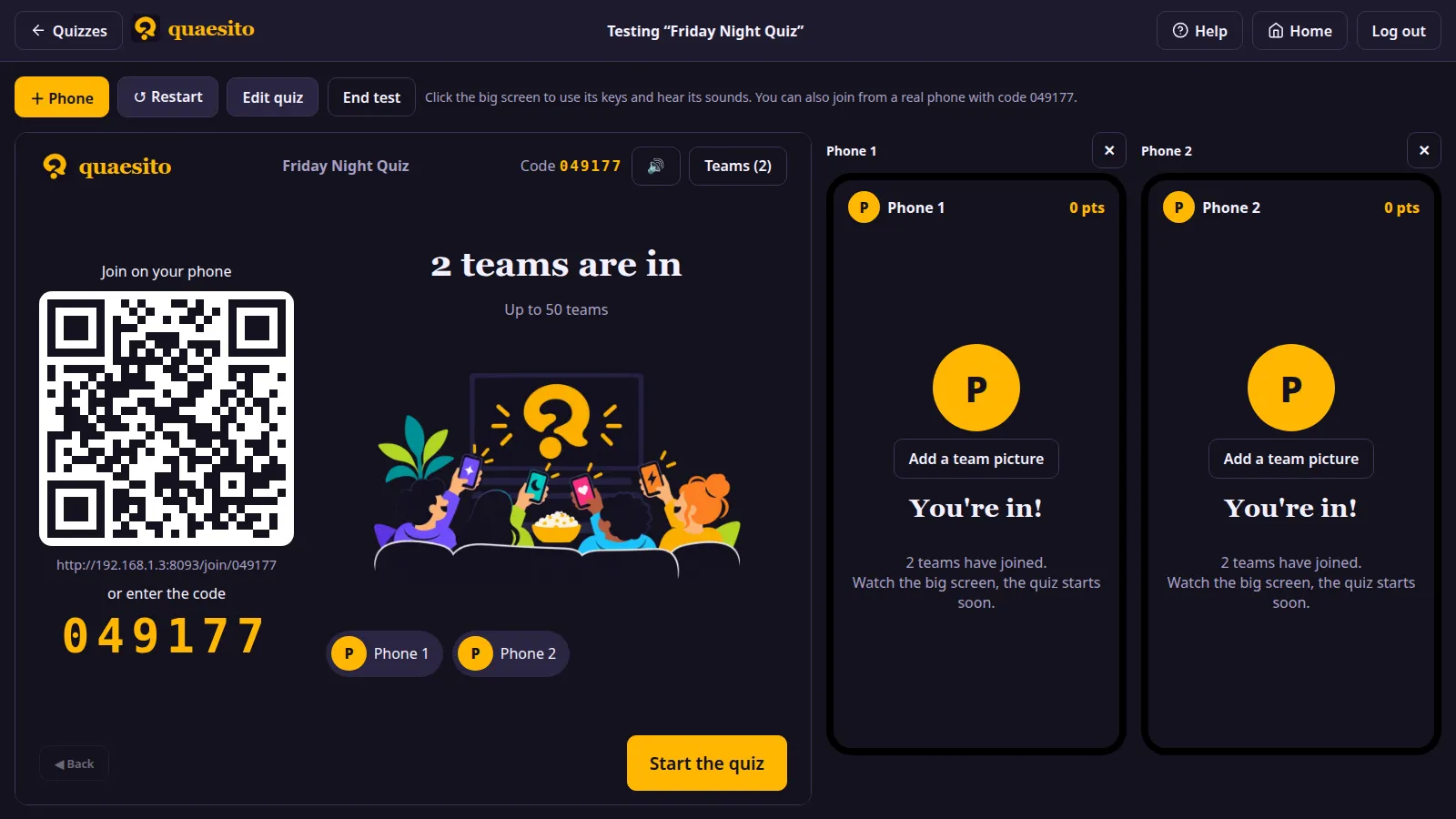
- 🧪 Test from here, on any question or slide in the editor, skips the lobby and starts the test right there, to try the end of a long quiz without playing it all.
- + Phone adds a phone (up to six), ✕ removes one.
- ↺ Restart starts over with a fresh game; Edit quiz goes back to the editor; End test closes it.
- Click the big screen once to use its keyboard shortcuts and hear its sounds.
- The QR code works too: join from a real phone to see the quiz in your hand.
Test games are never saved; one left open shows as "🧪 test" under Live games, where you can end it.